Publication de données
|
Dans ce module, vous apprendrez des concepts sur la publication de données, incluant l’IPT, les cœurs (cores) et les extensions, et l’importance des licences, des métadonnées, des champs obligatoires et de l’hébergement des jeux de données. |
Concepts de publication de données
|
Dans cette vidéo (15 min 27 s), vous découvrirez les concepts liés à la publication de données et vous ferez connaissance avec l’Integrated Publishing Toolkit (IPT). Cette vidéo ne dispose pas encore de sous-titres. Si vous ne parvenez pas à visionner la vidéo intégrée, vous pouvez la télécharger localement via le lien suivant :$data_publishing_concepts_v2-720p.mp4[download,opts=download]. (MP4 - 53,2 Mo) Si vous préférez lire, vous trouverez la transcription sous la vidéo intégrée. |
Transcription de la présentation
Cliquez pour développer

Diapositive 1 - Concepts relatifs à la publication de données
Dans cette présentation, nous vous présenterons le concept de publication des données, ainsi que l’Integrated Publishing Toolkit (IPT) du GBIF.
Photo : Euphorbia royleana Boiss. Observée au Népal par Yaling Lin CC BY-NC 4.0
Diapositive 2 - Partage de vos données
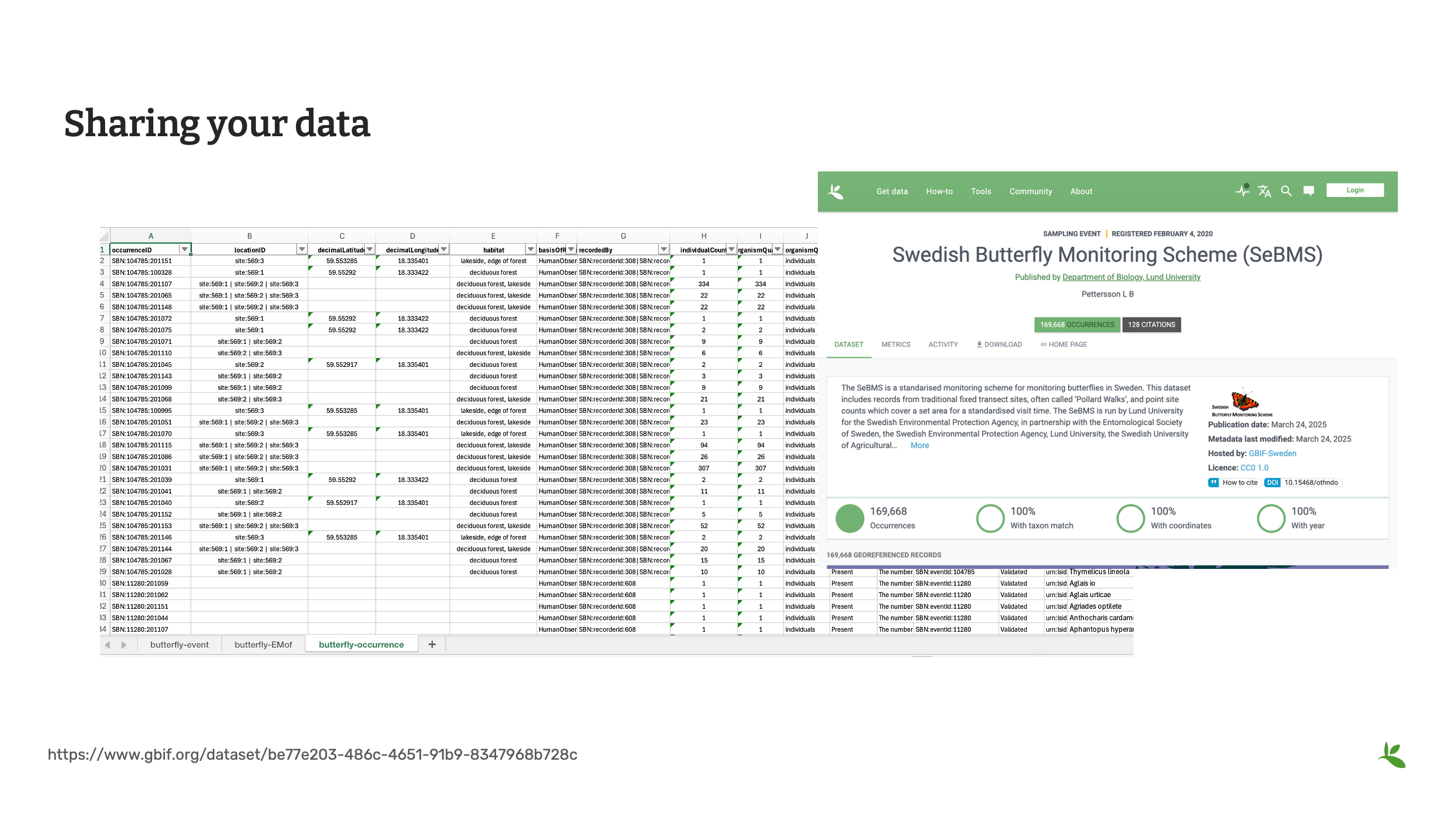
À ce stade de la formation, vous avez parcouru toutes les étapes d’un projet de mobilisation des données. Vous disposez maintenant d’un jeu de données nettoyé et standardisé, prêt à être partagé et publié sur le portail de données du GBIF.
Diapositive 3 - Publication de données
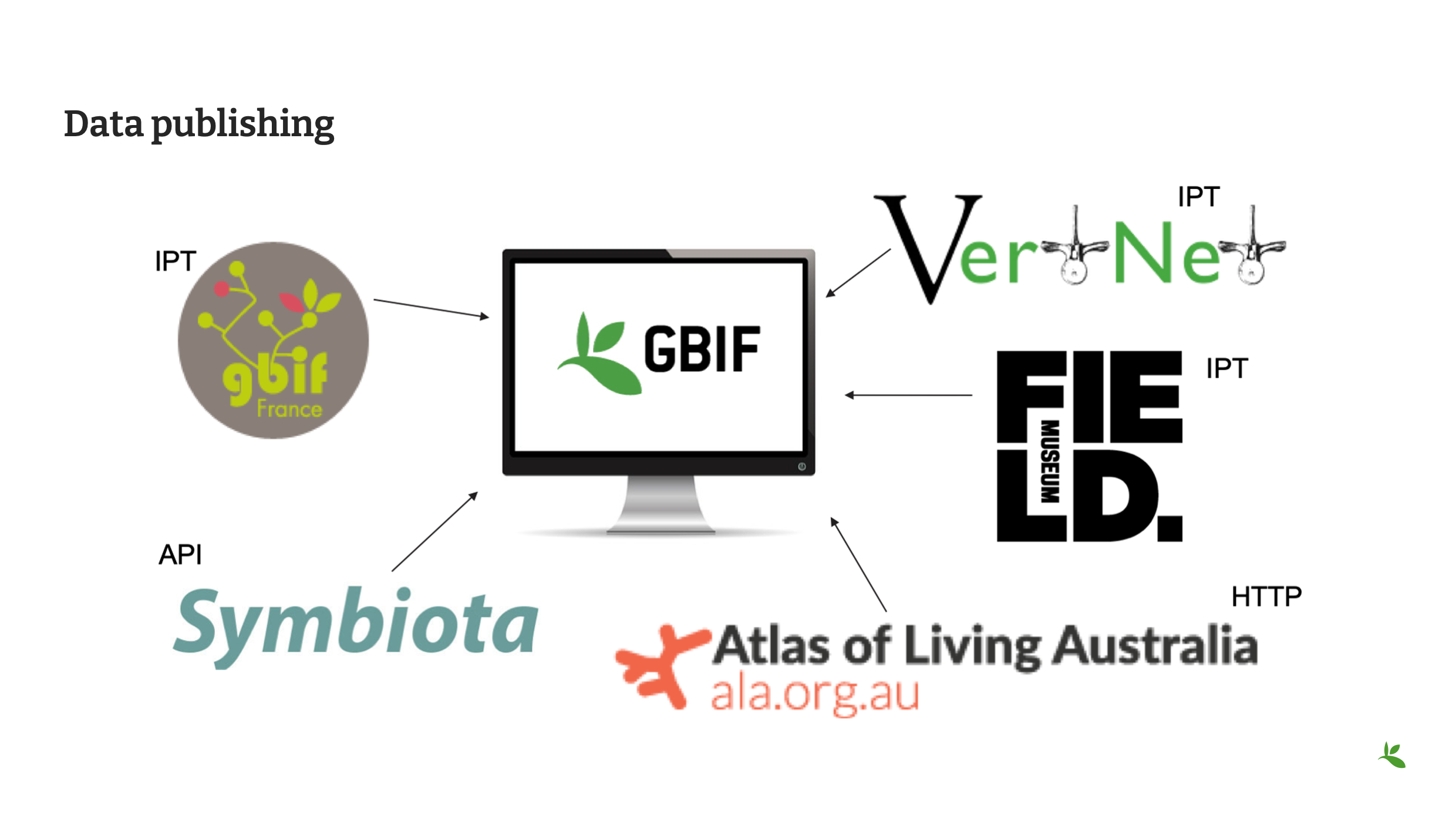
Il ne suffit toutefois pas d’envoyer une feuille de calcul ou un fichier texte au GBIF. Vous devez réellement publier vos données. Publier des données consiste à rendre un jeu de données sur la biodiversité accessible au public, facile à trouver et aussi ouvert que possible. Les données doivent être présentées dans un format standardisé, comme le Darwin Core, et mises à disposition à partir d’un point d’accès, c’est-à-dire une adresse web (URL). La plupart des organismes ou institutions du réseau GBIF, appelés data publishers ou éditeurs de données , utilisent l’Integrated Publishing Toolkit (IPT). Certains, comme le Field Museum, installent et hébergent leur propre IPT. Cependant, la plupart recherchent une structure capable d’héberger leurs activités de publication. Il peut s’agir d’un nœud participant du GBIF, d’un réseau thématique comme VertNet, ou de l’un des IPT régionaux du GBIF. Les membres de communautés telles que Symbiota ou Living Atlases peuvent également utiliser les solutions proposées par ces réseaux pour publier leurs données sur le GBIF.
Diapositive 4 - Renonciation et licences Creative Commons
La diapositive précédente indique que les données doivent non seulement être accessibles, mais également aussi ouvertes que possible.
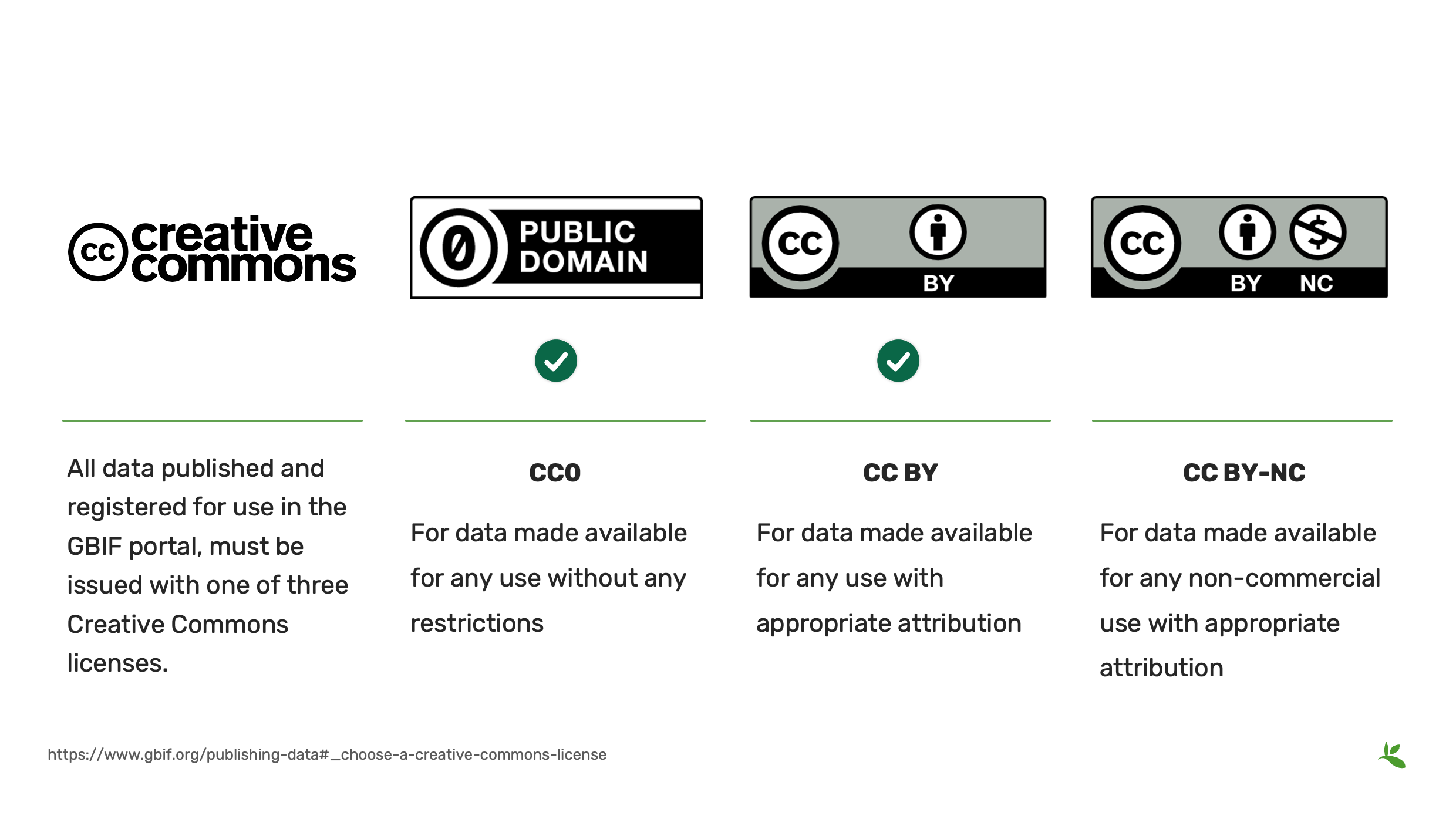
Afin d’indiquer clairement le niveau d’ouverture d’un jeu de données, le GBIF exige, conformément à une décision prise en 2014 par son Conseil d’administration, que toutes les données publiées et enregistrées sur son portail soient accompagnées de l’une des trois options Creative Commons suivantes :
-
CC0, une licence permettant la mise à disposition de données pour toute utilisation sans aucune restriction
-
CC BY , une licence autorisant toute utilisation des données, sous réserve de citer correctement la source
-
CC BY-NC, une licence autorisant toute utilisation non commerciale des données sous réserve de citer correctement la source.
INFORMATION : la licence CC BY-NC a des conséquences importantes sur la réutilisation des données.
Le GBIF encourage les éditeurs de données à choisir, dans la mesure du possible, l’option la plus ouverte.
Les données issues de projets financés par l’intermédiaire du GBIF doivent être publiées sous CC0 ou CC BY.
Diapositive 5 – Integrated Publishing Toolkit (IPT)
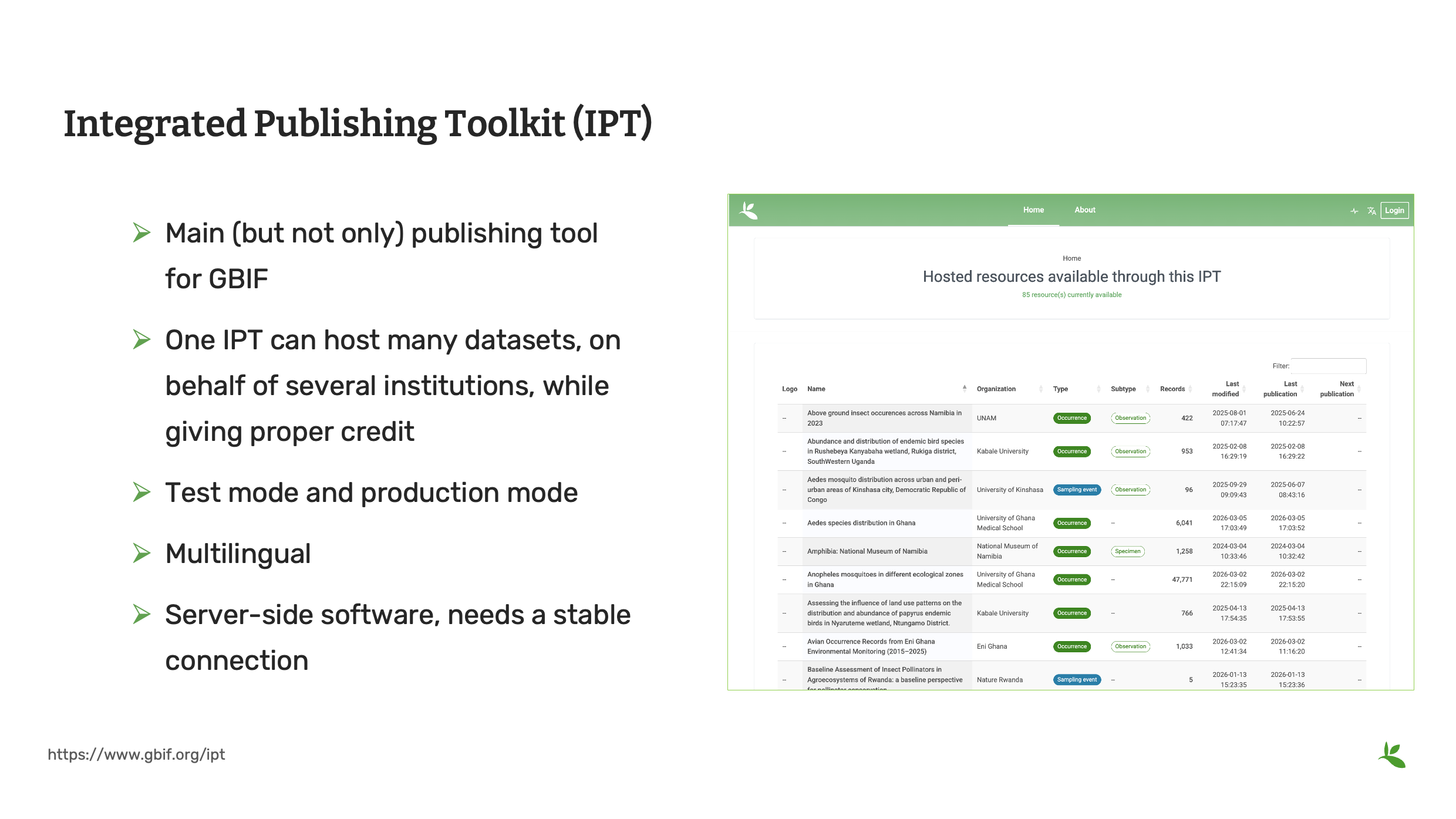
L’Integrated Publishing Toolkit (IPT) est un logiciel libre et gratuit, développé en Java, qui permet de publier et de partager des jeux de données sur la biodiversité via le réseau GBIF. La première version de l’IPT a été publiée en 2009. Le logiciel a ensuite été repensé et lancé dans une nouvelle version en 2011. Depuis, il est régulièrement mis à jour avec de nouvelles fonctionnalités, des corrections de bogues et des améliorations de sécurité.
Bien que l’IPT soit géré par le GBIF, la communauté des développeurs spécialisés dans l’informatique de la biodiversité peut contribuer à son développement.
Certaines des fonctionnalités incluent :
-
Main (but not only) publishing tool for GBIF. Principal outil de publication du GBIF, mais pas le seul.
-
Un même IPT peut héberger de nombreux jeux de données pour le compte de plusieurs institutions, chacune étant clairement identifiée
-
Mode test et mode production
-
Multilingue : il a été traduit en 7 langues.
Comme l’IPT fonctionne sur un serveur, il exige une connexion internet stable ainsi qu’une gestion technique régulière. De nombreuses institutions préfèrent donc utiliser un IPT déjà hébergé et administré par une autre organisation.
Vous trouverez davantage d’informations sur l’hébergement des données sur le site web du GBIF.
Dans la suite de cette formation, nous utiliserons l’IPT pour les démonstrations et les exercices pratiques.

Diapositive 6 – Choisir le type principal de jeu de données à publier (publishing core)
We’re now putting together what you learned in the first two presentations in the Data Capture section on Standards and Darwin Core and Data Types. At its heart, the IPT is based on Darwin Core and the Darwin Core text guide and its recommendations for sharing data in a Darwin Core Archive. The Darwin Core contains three distinct data cores which match up to three of the dataset types that GBIF accepts. Keep in mind: * Each dataset has one and only one Core file * Each Core file corresponds to a dataset type: occurrence, checklist or sampling event. * Each dataset can have one or more extensions file * The aim of an extension is to add new data fields not present in the core. * Each entry in the core file is linked to zero, one or several rows in an extension file. * Each row in an extension file reference one and only one row in the core file.
Some examples:
-
Core is Occurrence, no extensions
-
Core is Occurrence, with “multimedia” extension
-
Core is Occurrence, with simple multimedia and measurementorfact extensions
-
Core is Taxon, no extensions
-
Core is Taxon, with species distribution extension
-
Core is Event with occurrence and measurementorfact extensions
Photo: Pieris formosa (Wall.) D.Don Observed in Nepal by Neil Alderson http://creativecommons.org/publicdomain/zero/1.0/[CC0 1.0]
Slide 7 - Occurrence Core
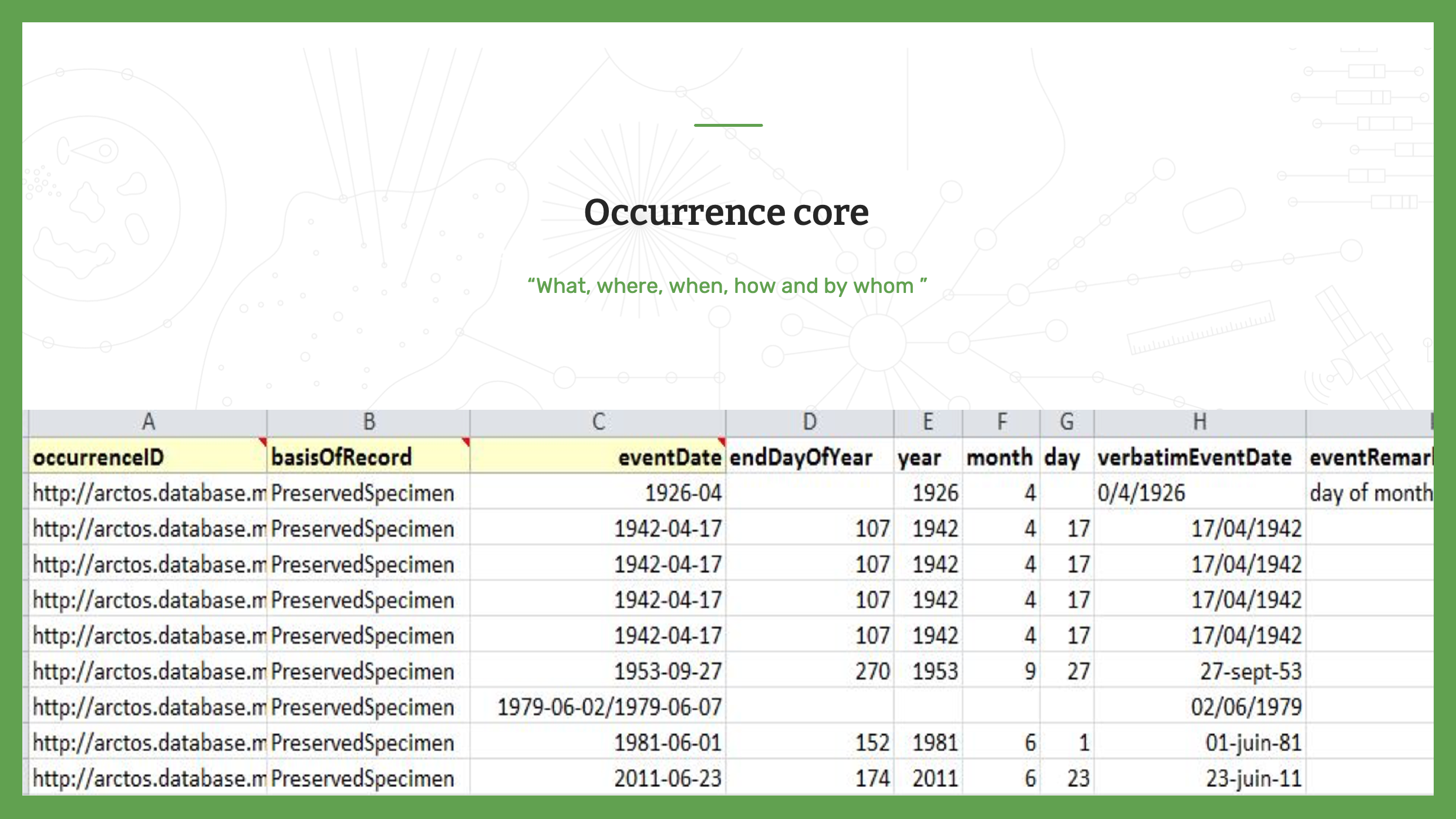
The first core is the Occurrence Core. As a reminder, an occurrence dataset contains one individual or one group of individuals. Each row has a unique identifier, an occurrenceID. Other fields for occurrence data include where, when, how and by whom was each occurrence observed and/or collected in the field.
Slide 8 - Taxon Core
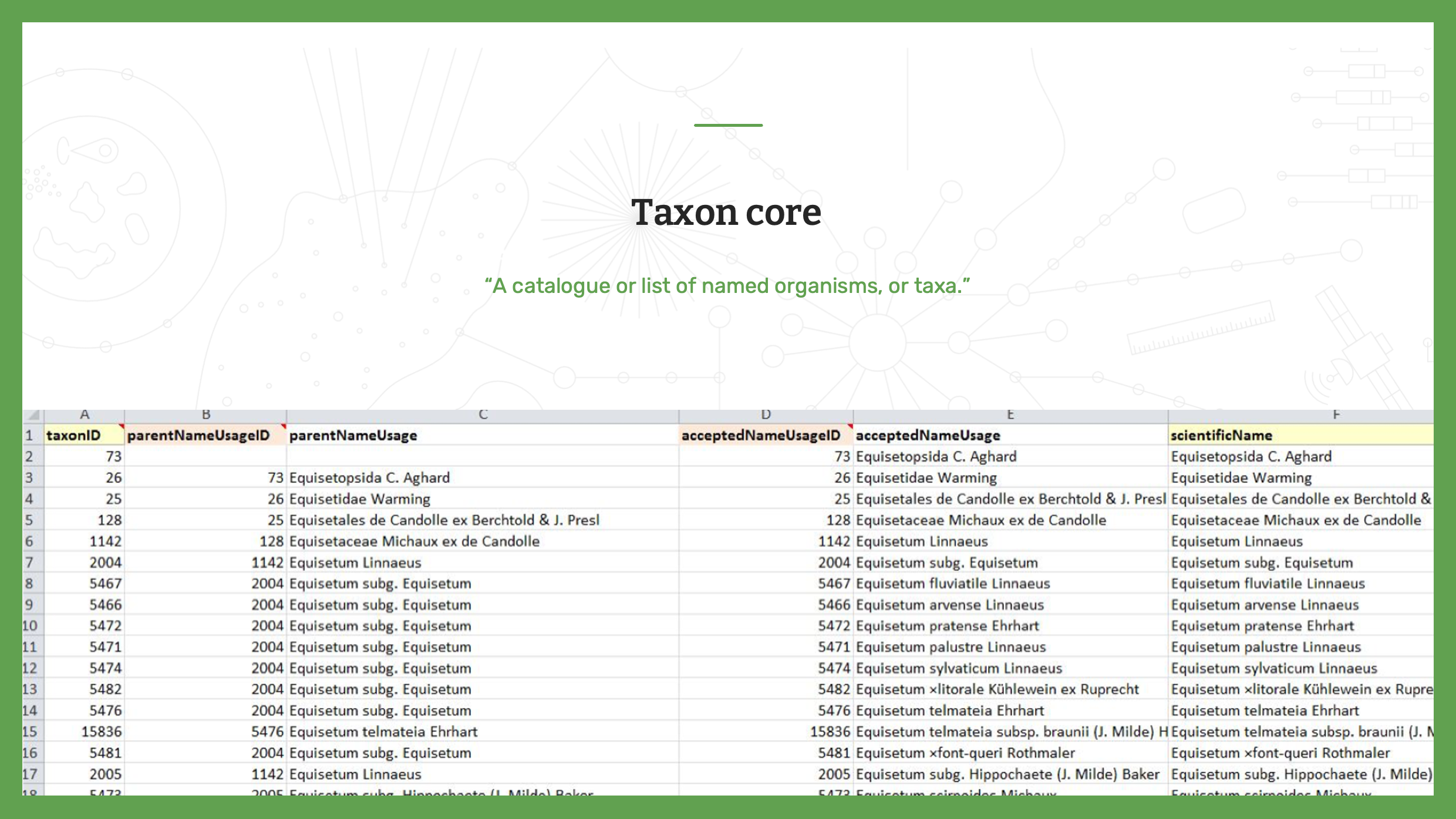
The next option is the Taxon core. As a reminder, a checklist dataset contains taxonomic concepts, not individuals. It is a “A catalogue or list of named organisms, or taxa.” Each row will have a taxonID. Each taxon must be unique.
Slide 9 - Event Core
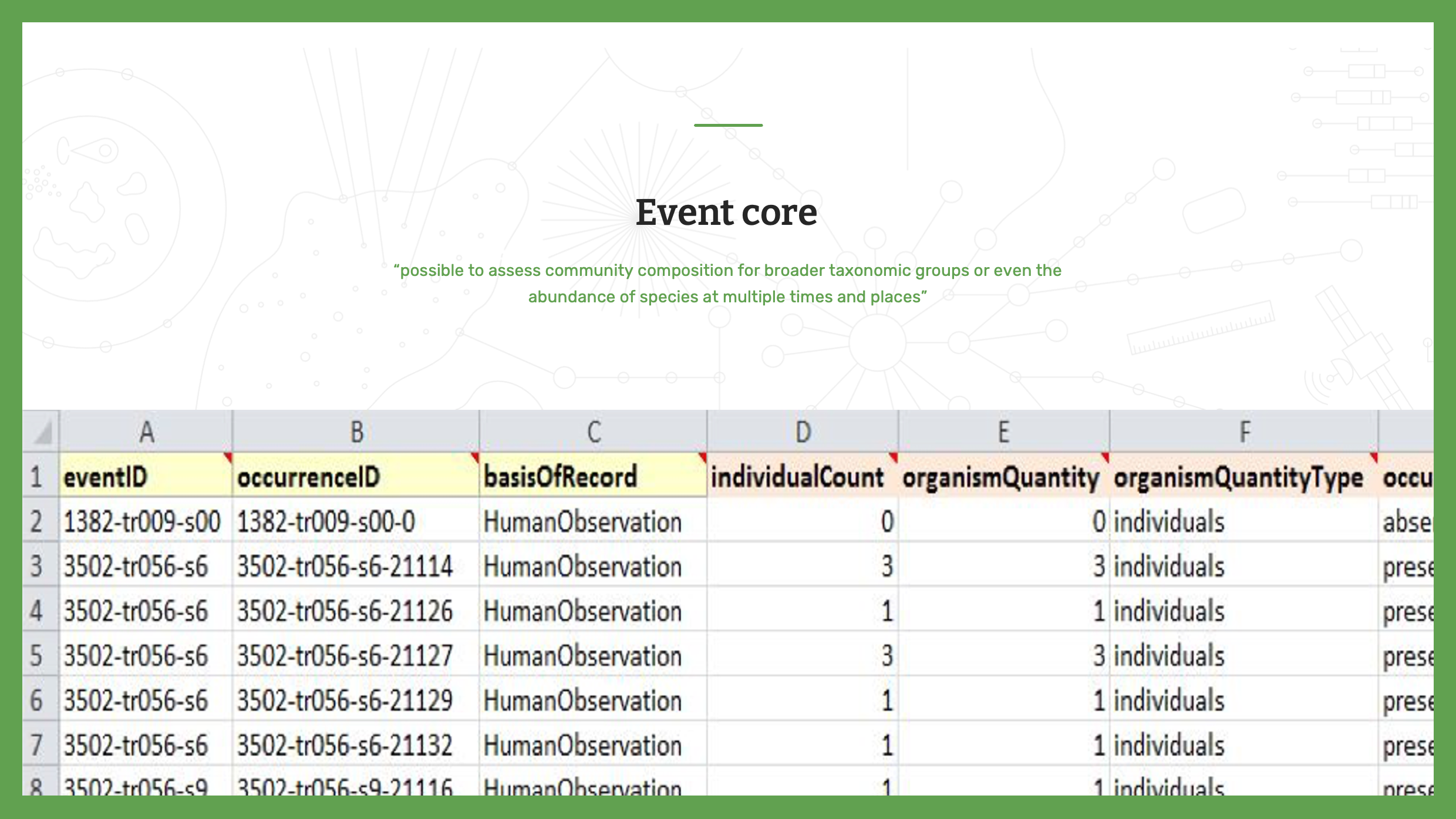
The last option is the Event core. As a reminder, sampling event datasets allow data publishers to provide greater detail, not only offering evidence that a species occurred at a given location and date, but also making it possible to assess community composition for broader taxonomic groups or even the abundance of species at multiple times and places. By indicating the methods, events and relative abundance of species recorded in a sample, these datasets improve comparisons with data collected using the same protocols at different times and places—in some cases, even leading researchers to infer the absence of particular species from particular sites.
Each row will have an EventID. Each event must be unique.
Slide 10 - Data quality requirement
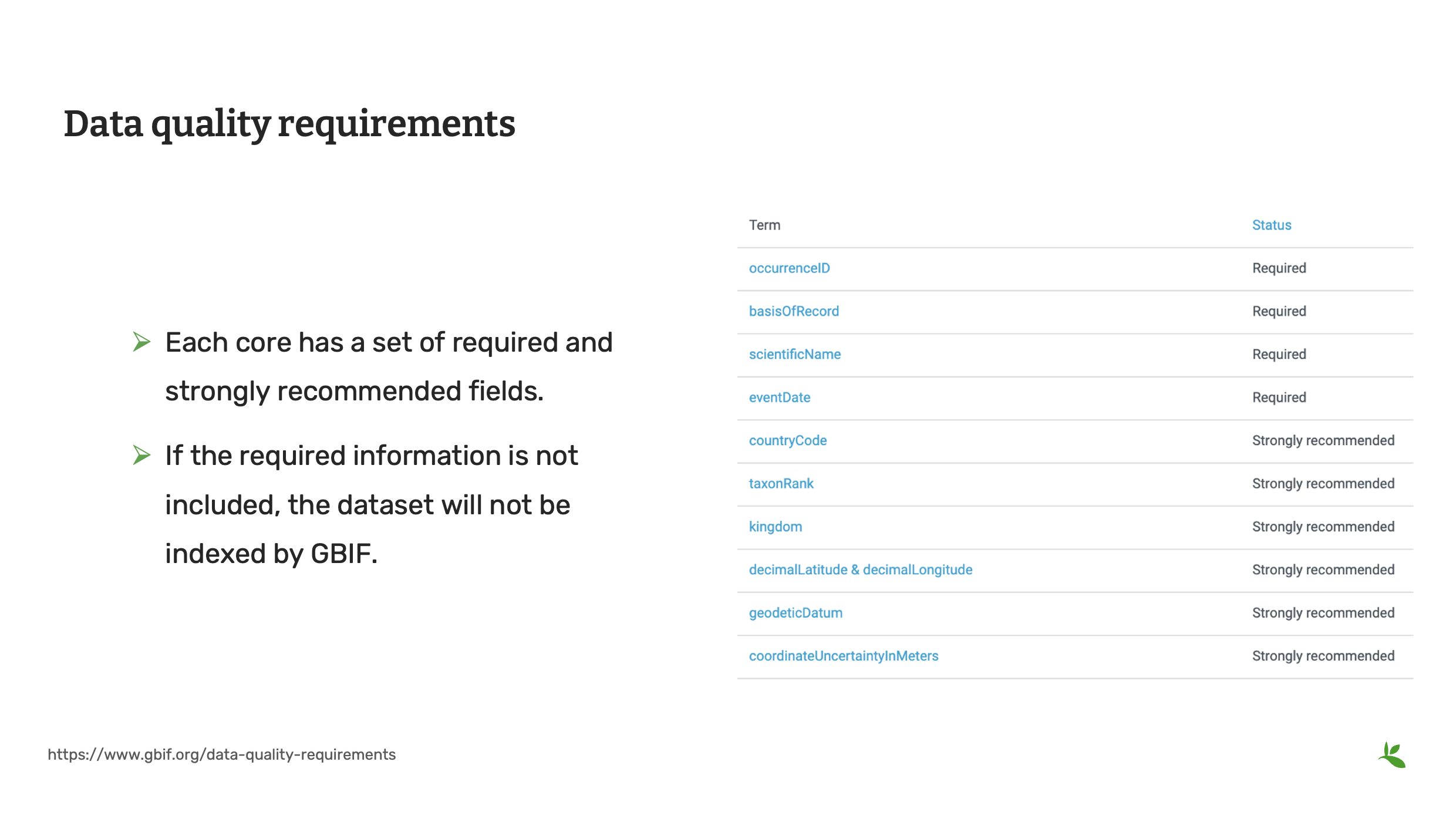
This is a good point to review all of the fields required by GBIF. If required fields are not supplied, GBIF will have difficult indexing your dataset.
Each core has its own set of required and recommended fields for the dataset and for the associated dataset metadata. As you now know, metadata is the data about your data and it enables users to know if your dataset will be fit for their use.
Don’t stop at the required and recommended fields. The more data you are able to share, the more useful your dataset can be to end users.
You can find the data quality requirments on the GBIF website.
Slide 11 - Extensions in the IPT
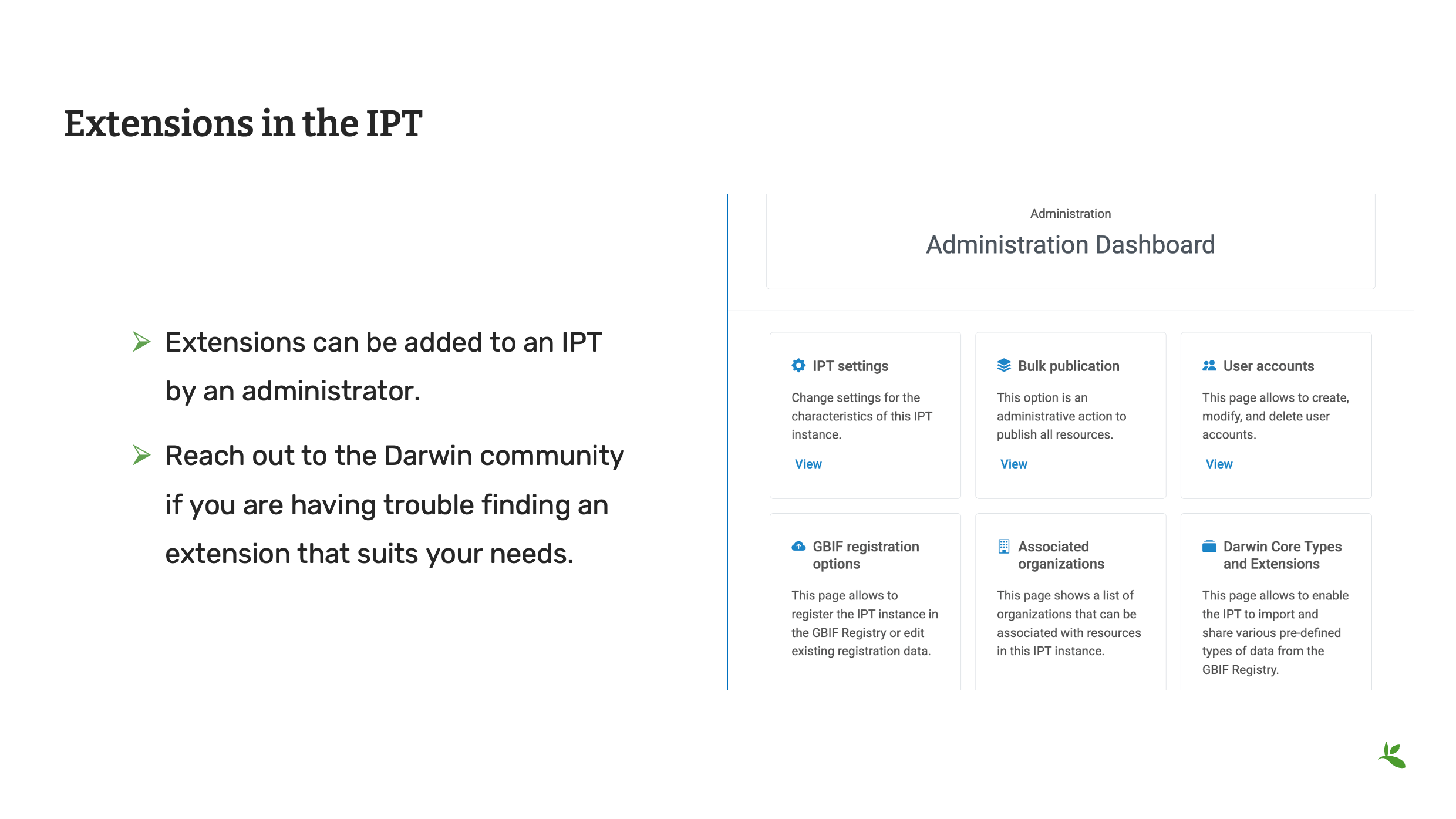
Extensions were introduced in the Standards presentation. Publishing a dataset is now where you will put them into use. As mentioned previously, GBIF maintains the list of approved and draft extensions on its tools subsite. The approved extensions can be enabled by an IPT administrator on a Production IPT. Draft extensions can be enabled by an IPT administrator on a Test IPT. If you know you have data that cannot be shared with Simple Darwin Core, it is worth reviewing the list of available extensions.
If you think an extension doesn’t exist, try reaching out to members of the TDWG community or posting on the Darwin Core issues site. Community members will help guide you.
Slide 12 - Darwin Core Archive with extensions
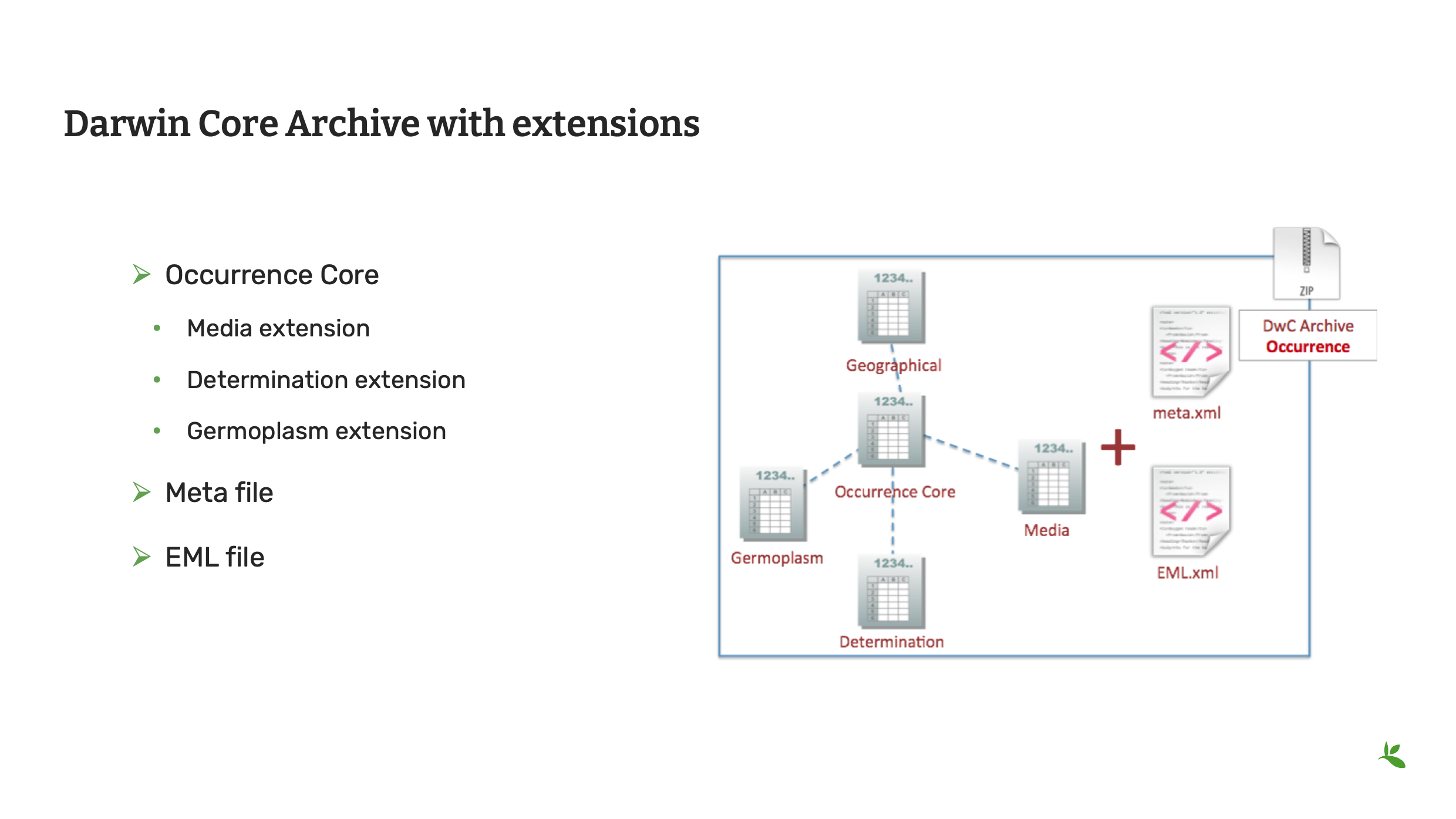
Also, in the standards presentation, you were introduced to Darwin Core Archives. In the near future we will begin preparing the community to consider or otherwise adopt the Darwin Core Data Package, but for now we will continue with Darwin Core Archives.
This is an example of a Darwin Core archive with extensions.
It’s an occurrence dataset that has been published with images, determination history and genebank information.
Slide 13 - A core and extension relationship
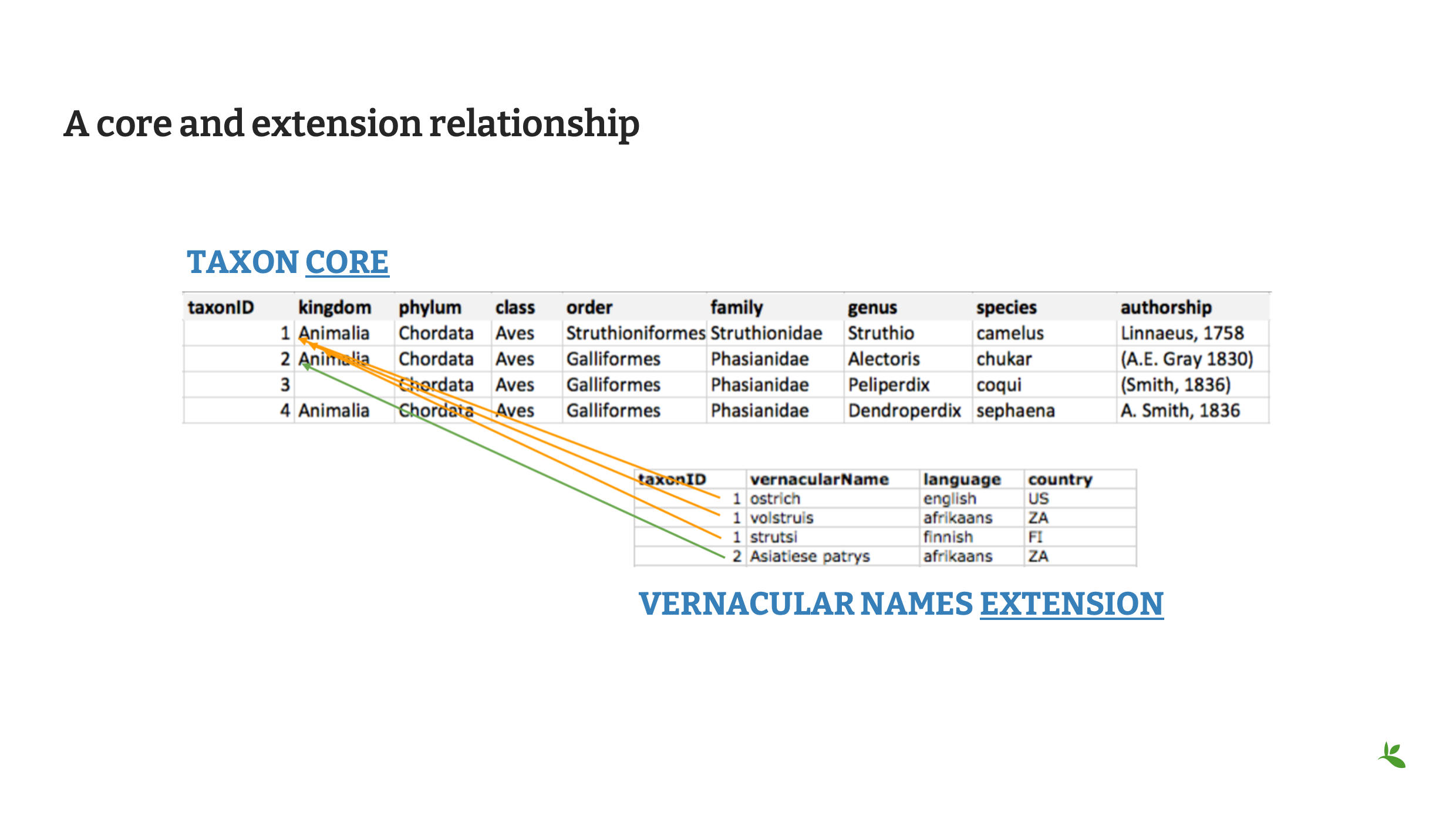
Until now, it may have been difficult to imagine how two single files can be related. A core with an extension can represent the following relationships.
-
1:0
-
1:1
-
1:many
The core file will always contain unique records. In this example using the Taxon Core, each taxon is unique and is represented by a taxonID. In Vernacular Names extension file, each vernacular name is unique. The first three represent common names for the species Struthio camelus (1:many relationship). The fourth name represents the common name for the species Alectoris chukar (1:1 relationship).
In this example the third and fourth taxons in the core file, do not have a match in the extension file. (1:0 relationship).
Slide 14 - Registering as a data publisher with GBIF
As we finish up this presentation, we’d like like to discuss registering as a data publisher at GBIF. The steps for registering were covered in the Introduction to GBIF course.
Data holding institutions are listed as the data publisher when their data is shared with GBIF. This allows users to properly provide credit and attribution for the data/datasets that they intend to use for research. And once users begin to site the dataset, the publishers page on GBIF.org will link back to literature citing the dataset.

Slide 15 - Aims of the publisher endorsement process
Before GBIF indexes a new publisher’s datasets, the institution must receive endorsement as a data publisher from one of the Participant nodes that coordinate activities of the national and organizational Participants in the GBIF network. If your country is not yet a participant, GBIF will coordinate the endorsement request through the GBIF Nodes Steering Group (NSG).
It is important to complete this step early in the publishing process as it could take up to a month for your publisher record to be endorsed by a Participant Node or the Nodes Steering Group.
La procédure d’endossement vise à garantir que :
-
Les données publiées sont pertinentes pour la portée et les objectifs du GBIF
-
Arrangements for data hosting are stable and persistent
-
La publication et l’utilisation des données sont soutenues par un engagement fort, national, régional et thématique
-
Data are as open as possible and available for sharing and reuse
-
Les éditeurs de données peuvent répondre aux commentaires et améliorer la qualité des données
Once a publisher receives endorsement, they can begin registering their published datasets with GBIF. You’ll hear more about this during the IPT demonstration.

Slide 16 - Conclusion
This presentation is part of a series of presentations used in the GBIF Biodiversity Data Mobilization course. The biodiversity data mobilization curriculum was originally developed as part of the Biodiversity Information Development Programme funded by the European Union. This presentation was originally created by Sophie Pamerlon with additional contributions by Nicolas Noe, Laura Anne Russell and Dag Endresen, BID and BIFA Trainers, Mentors and students. Narration is by me, Melissa Liu.
IPT overview and demonstration
|
During this demonstration, you will receive an overview of the IPT data publishing interface and you will learn how to publish an occurrence dataset using an IPT. |
A live demonstration will be provided. Visit the IPT user manual for full documentation.
Exercice 3
|
In this exercise, you will publish an event dataset using the IPT. |
Publication de données
After cleaning the data in the dataset, the team considers that publishing the data online through GBIF could be a good way to make this effort visible. They plan on assigning the data with a CC0 waiver. You have been requested to lead that publishing work.
-
Download UC-Practice-3-ForPublication.xlsx. (22 KB)
-
Open the file in Excel and export each tab as an individual CSV file (resulting in 4 files for upload to the IPT).
-
Use the assigned IPT installation to publish the dataset and register it with GBIF.
-
Utilisez la feuille d’exercice précédemment téléchargée pour donner vos réponses.
Révision
|
Testez vos connaissances sur les concepts abordés dans ce module. Certaines questions peuvent comporter plusieurs réponses correctes. Vous pouvez en savoir plus sur les réponses dans le Annexe des solutions. |